Camera and Display Plugin
Design, visualise and refine your virtual production shots.
*Supported Unreal Engine versions are different on each plugin versions. Please check the release note.
**Ver2.0 paid licenses have been discontinued. The free version is still available.
Version 3.0 Key Features
Camera and Display Plugin will be supporting the following features below with Ver3.0, for Unreal Engine 5.5 or later.
Ver3.0 will be provided as a free version with full functionality.
- Adds Virtual BRC-AM7 and Virtual HDC-F5500V
- Adds Crystal LED CAPRI
- Support for Ray Tracing Acceleration
- Support for Crystal LED Off-Axis Color Shift Compensation
- Support for Moiré Alert on VENICE 2 On-screen Display
- Support for EL Zone System™
Availability and specifications are subject to change without notice.
The challenges of virtual production
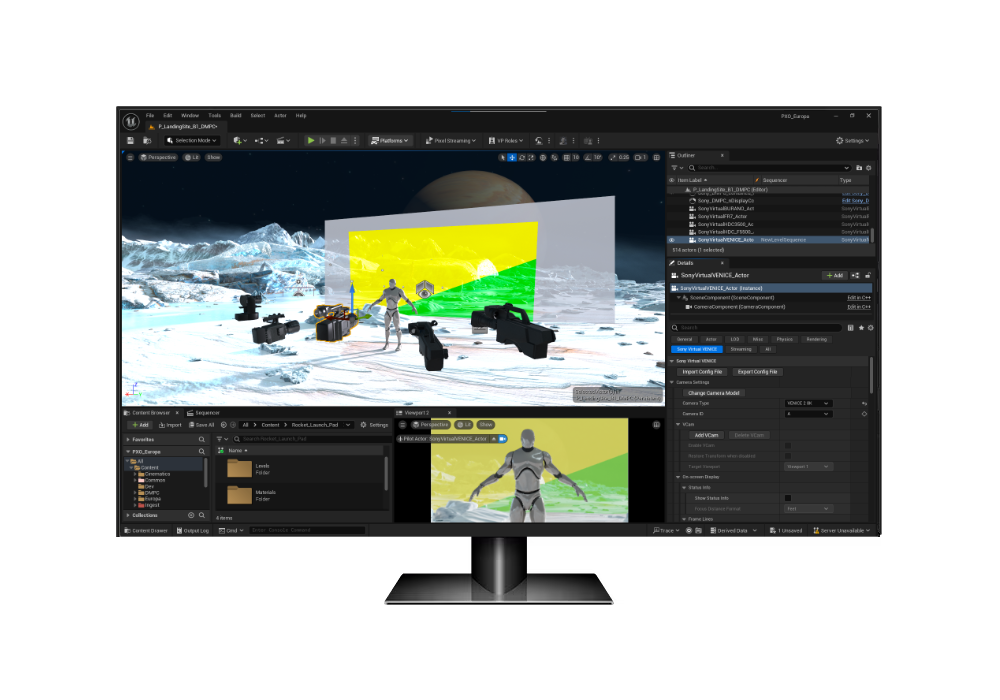
The “Camera and Display Plugin” is an Unreal Engine plugin for in-camera VFX shooting used in virtual production. Many cinematographers worry about image quality when compared to green-screen shooting. Visualizing the on-set image in advance is hard and expensive. Reproducing that image during the shoot is even harder. Our plugin lets you design the picture you need for virtual production with Sony cameras and system cameras*. It consists of a “Virtual Camera Actor” for use in the previsualization process, and an “On-set Camera Component” and “Camera Control Panel” for use in the on-set (shooting) process.
*VENICE 2, VENICE, BURANO, ILME-FR7, BRC-AM7, HDC-F5500, HDC-F5500V, HDC-5500V, HDC-5500, HDC-3500V, and HDC-3500. Please refer to Operations Manual for detailed functionality for these individual models.

More precise pre-visualisation
Let your Virtual Art Department create pre-visualizations that reflect the reality of your upcoming shoot in a LED volume. Share them with your on-set team for a smoother shoot and less issues while being in the on-set stage.
Better on-set shooting
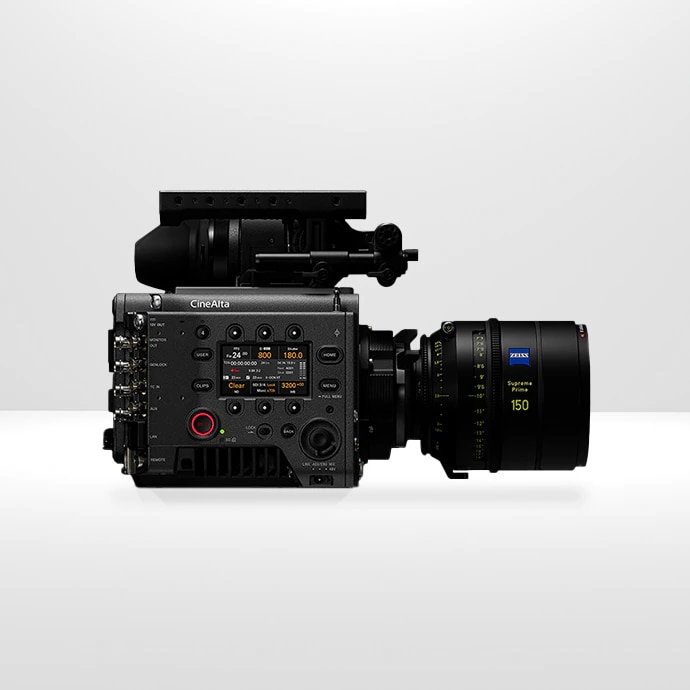
Transfer the defined parameters to your physical VENICE camera, preserving your creative vision. Monitor and control your VENICE settings via a simple GUI on Unreal Engine. Benefit from real-time moiré alerts for the shoot.
On-set Camera Component
This is an Unreal Engine component that adds functions necessary for virtual production shooting by attaching it to the standard Unreal Engine Cine Camera actor used for in-camera VFX.
It works with the Camera Control Panel (VENICE cameras only), which allows you to set the camera via network, and the separately sold application Color Calibrator, to provide a function that corrects the colour characteristics of Sony cameras and LED displays to reproduce the intended colours. The On-set Camera Component enables an easy and effective colour workflow during the on-set (shooting) process. It also supports LED grading, allowing you to adjust the brightness and colour of HDR images output to LED displays.
In addition, the moiré warning function allows you to predict the occurrence of moiré that is difficult to see with the naked eye in the shooting environment.
Live Camera Sync
The feature allows you to synchronize camera and lens settings between the actual VENICE, the on-set Cine Camera actor, and Virtual VENICE. This allows you to automatically adjust the size of the inner frustum output to the LED display according to the imager mode settings of the actual VENICE, or apply the camera lens settings to the on-set Cine Camera actor as an alternative to the lens encoder and control box.

Virtual Camera Actor
The Virtual Camera Actor reproduces the characteristics of Sony cameras, including the Look, by performing signal processing equivalent to that of actual Sony cameras. In the previsualization process, it is possible to create images in the same way as if a Sony camera were used. The camera settings also correspond to everything from imager modes to aperture, ND Filter setting and precise colour adjustments. Maintain a consistent colour pipeline, from original art direction to the LED volume and what you see and record on your VENICE camera. For VENICE cameras, you can easily reproduce the image creation in the previsualization process on the actual VENICE by transferring the Virtual VENICE settings to the actual VENICE using the Camera Control Panel in the on-set (shooting) process.
Moiré Alert
By combining technical information about sensor optical information of cameras and LED pitch information, our plugin can automatically predict when aliasing is most likely—and alert you at both Pre-Visualization and On-set shooting. Get the most accurate simulation with the Crystal LED series including the new CAPRI. It can even detect moiré patterns that are not visible by the naked eye.
Note: Moiré Alert predicts areas where moiré may occur in advance, but it does not guarantee prevention of moiré under all conditions.
Moiré Alert on VENICE 2 On-screen Display
Moiré Alert Displayed in Viewfinder/ Monitor Screen on VENICE 2 (Ver. 4.0 or Later)

Camera Setting Transfer
Import and export settings from your Virtual VENICE with configuration files. Save parameter settings in our Camera and Display Plugin, then transfer them to your physical VENICE camera via the camera control panel UI. Easily reproduce pre- visualized content on your VENICE cameras. User 3D LUT used in Virtual VENICE can be easily applied to real VENICE.
Support for Unreal VCam application
Enables Virtual Scouting using an iPad, controlling camera angle, Base ISO, Imager modes, Lens Simulation, etc., with the Unreal VCam application. Some Cine EI settings (ISO/EI, ND, WB, etc.) can also be adjusted from the iPad.
Note: Virtual HDC cameras are not supported.
On-Screen display
Enable to display status information and frame lines in the Viewport of Virtual VENICE / Virtual BURANO / Virtual FR7 / Virtual BRC-AM7.
PL mount lens simulation
Virtual VENICE / VENICE 2 / BURANO / HDC-F5500 can emulate lens distortion and vignetting of some PL mount lenses, allowing you to understand the lens characteristics.
Supported lens models: Angenieux (Super35 25-250mm), Canon (CN-E20-50mm, CN-E45-135mm, CN8×15 IAS S, CN8×15 IAS S (1.5x Extender)), Fujifilm (Premista19-45mm T2.9, Premista28-100mm T2.9, Premista80-250mm T2.9-3.5, XK20-120mm T3.5, ZK14-35mm T2.9, ZK19-90mm T2.9, ZK25-300mm T3.5-3.85, ZK85-300mm T2.9-4.0), Zeiss (Supreme Prime series, Compact Prime CP.3 series)
Ray Tracing Acceleration*
Enables accelerated rendering in virtual production without additional GPUs or changes to existing studio infrastructure, offering flexible rendering options for either the full LED wall or only within the inner frustum.

[1]
[2]
[3]
[1] No Ray Tracing.
[2] With Unreal Engine’s built-in Ray Tracing alone, the frame rate drops.
[3] With Unreal Engine’s built-in Ray Tracing and Sony Ray Tracing Acceleration, the frame rate is approximately 2× higher** than [2].
* When the Ray Tracing Acceleration feature is used, External Libraries for Ray Tracing Acceleration must be installed on both the Editor PC and the Render Node, in addition to the main Camera and Display Plugin.
** Depends on Unreal Engine project settings.

Crystal LED Off-Axis Color Shift Compensation
Real-time viewing angle correction with on-set camera movements improves Virtual Production workflows. Exclusive to Sony Crystal LED (B-series / VERONA / CAPRI). No on-set calibration required.
*Cameras other than Sony models can also be used by manually entering the sensor size/film back information.
Expansion of Compatible Crystal LED Lineup
In addition to our B series and premium VERONA models, we have introduced the cost-effective CAPRI series.


EL Zone System™
The EL Zone System, created by cinematographer Ed Lachman, ASC, allows for exposure mapping in stops, using 18% gray as the reference exposure, on VENICE 2 (Ver. 4.0 or Later)
* The design is subject to change without notice.
V3.0 Compatible Cameras Table (UE5.5)
| VENICE VENICE 2 | BURANO | FR7 | BRC-AM7 | HDC-F5500V / F5500 HDC-5500V / 5500 HDC-3500V / 3500 | ||
|---|---|---|---|---|---|---|
| Pre-vis | Virtual Cameras | ✓ | ✓ | ✓ | ✓ | ✓ |
| Pre-vis | Moiré Alert (Pre-Vis) | ✓ | ✓ | ✓ | ✓ | ✓ |
| Pre-vis | Epic Unreal VCam app | ✓ | ✓ | ✓ | ✓ | |
| Pre-vis | On-screen Display | ✓ | ✓ | ✓ | ✓ | |
| Pre-vis | PL Lens Simulation | ✓ | ✓ | ✓ (HDC-F5500V and HDC-F5500 only) | ||
| Pre-vis | Camera Config Save / Load | ✓ | ✓ | ✓ | ✓ | ✓ |
| On-Set Shooting | Remote Control Panel | ✓ | ||||
| On-Set Shooting | Camera Setting Transfer | ✓ | ||||
| On-Set Shooting | Live Camera Sync | ✓ | ||||
| On-Set Shooting | Moiré Alert (On-Set) | ✓ | ✓ | ✓ | ✓ | ✓ |
| On-Set Shooting | Color Calibration, LED Grading | ✓ | ✓ | ✓ | ✓ | ✓ |
V2.0 Compatible Cameras Table (UE5.4)
| VENICE
VENICE 2 | BURANO | FR7 | HDC-F5500
HDC-5500 HDC-3500 | ||
|---|---|---|---|---|---|
| Pre-Vis | Virtual Cameras | ✓ | ✓ | ✓ | ✓ |
| Pre-Vis | Moiré Alert (Pre-Vis) | ✓ | ✓ | ✓ | ✓ |
| Pre-Vis | Epic Unreal VCam app | ✓ | ✓ | ✓ | - |
| Pre-Vis | On-Screen Display | ✓ | ✓ | ✓ | - |
| Pre-Vis | PL Lens Simulation | ✓ | ✓ | - | ✓ (HDC-F5500 only) |
| Pre-Vis | Camera Config Save / Load | ✓ | ✓ | ✓ | ✓ |
| On-Set Shooting | Remote Control Panel | ✓ | - | - | - |
V1.0 Compatible Cameras Table (UE5.2/5.3)
| VENICE VENICE 2 | ||
|---|---|---|
| Pre-vis | Virtual Cameras | ✓ |
| Pre-vis | Moiré Alert (Pre-Vis) | ✓ |
| Pre-vis | Epic Unreal VCam app | |
| Pre-vis | On-screen Display | |
| Pre-vis | Camera Config Save / Load | ✓ |
| On-Set Shooting | Remote Control Panel | ✓ |
| On-Set Shooting | Camera Setting Transfer | |
| On-Set Shooting | Live Camera Sync | |
| On-Set Shooting | Moiré Alert (On-Set) | |
| On-Set Shooting | Color Calibration, LED Grading |