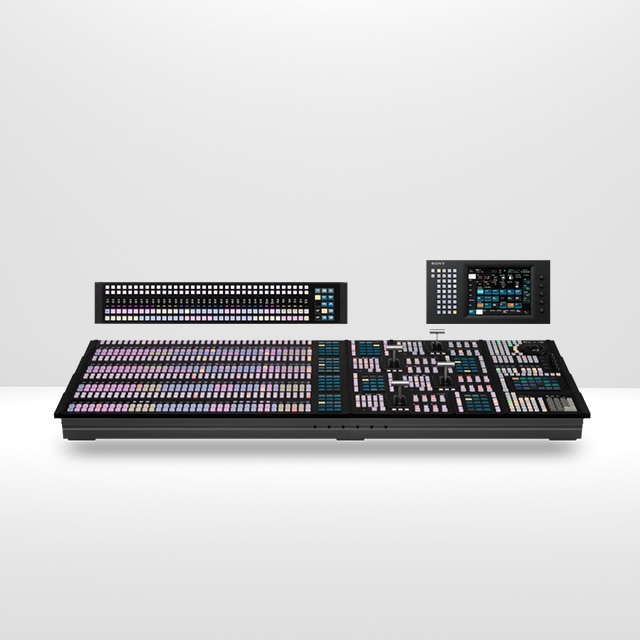
MLS-X1 Tutorials: Make the Most Out of the MLS-X1 Video Switcher
This video series is perfect for operators and engineers looking to streamline workflows and get the most out of their MLS-X1 system. First video is 11 tips designed to boost efficiency, flexibility, and creative control in live production environments.

Getting Started
Discover control panel functions, signal transitions, menu navigation, and multiviewer setup.

Advanced M/E Configuration
Learn the fundamentals of Mix/Effects, covering key modes, M/E bus configuration, frame memory transitions, and keyer assignments.

Input Management and V/P Pairing
Discover input management including V/K pairing, input naming, alias creation, button mapping, and panel customisation.

Dynamic Key borders
Learn how to enhance live production visuals using key borders, image panning, resizers, and key masks for dynamic effects.

Aux bus control
Discover Aux bus control on the Sony MLS-X1, including Aux Mix setup, in-vision monitor colour correction, and key menu configurations.

Remote control with the virtual shotbox option
Learn how to configure and operate it remotely via a tablet interface to streamline live production.

Remote control using bitfocus companion software
Learn how to integrate Bitfocus Companion, enabling remote control, automation, and external device management.

Conditional Actions
Learn how to use Conditional Actions to automate live production workflows with real-time triggers, commands, and visual cues.
The power of the macro
Discover the macro features, showing how to record, edit, and assign macros to automate complex production tasks.

The versatility of the crosspoint pad
Explore the XPT Pad, advanced control features like custom pages, key delegation, Aux row assignment, and flexible live production workflows.
Panel Memories
Discover the Panel Memories feature, how to save and recall control panel layouts and settings to boost operational efficiency.

MLS Manager and configure MLS Island
Discover the MLS Manager application, with a guide to creating an MLS Island and assigning control panels for streamlined system setup.

Additional Keying using SL Key functions
Learn how to use the SL Key feature to enhance keying flexibility, manage stored key files, and streamline on-air graphics control.

User Access Set-up and Control
Learn how to create user accounts, menu groupings and role-based access on the Sony MLS-X1 for secure, efficient operational control.

Source Delay, Colour Correction and Bus linking
Discover MLS-X1 input/output processing tools including frame delay, colour correction, bus linking and source substitution for live production.

Multi Macro Operation
Learn how to create, attach and run single or multiple macros on the Sony MLS-X1 to automate complex live production workflows.

Key Fill adjustment
Master Key Fill Adjust on the Sony MLS-X1 to reposition fill content, use masks and crops, and refine keyed graphics for live production.

Corner Pinning and Additional DME effects
Explore new MLS-X1 DME effects including Glow, Sketch and Sparkle, plus corner pinning tools to enhance on-screen visuals quickly.

Crosspoint module customisation and panel display modes
Learn how to customise the MLS-X1 crosspoint pad, assign key rows and configure panel display modes for faster, intuitive operation.

Reassignment of a MLS control panel between different logical switchers
Learn how to configure and reassign Sony MLS-X1 control panels between logical switchers for flexible multi-switcher environments.