09/06/2023
Sony Electronics Releases Free Firmware Update and Plugin to Enhance the Performance of the Spatial Reality Display
Improvements Include Image Quality Optimization, Usability Advancements, and a New Plugin for Use with Digital Content Creation Tools
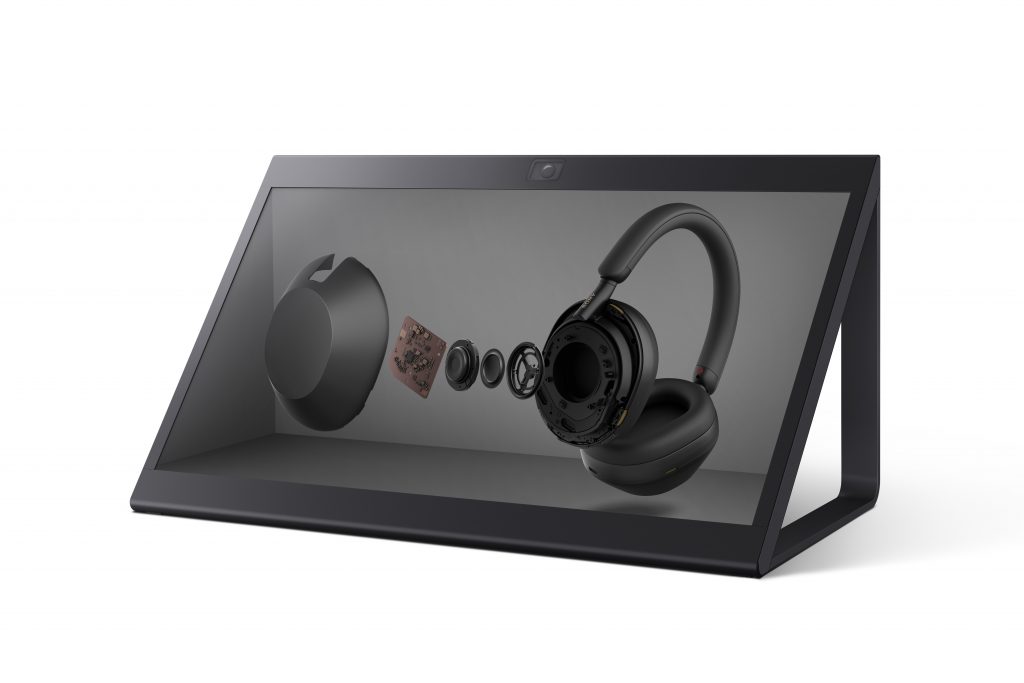 Sony Electronics has released a free firmware update version 1.2 and a plugin for the Spatial Reality Display[1]. The new firmware adds functions to optimize the image quality and performance of the ELF-SR2. Additionally, a plugin for ELF-SR2 and ELF-SR1, Spatial Reality Display Plugin for Preview, offers compatibility with Autodesk® Maya®, a leading 3D computer graphics application. With the release of the firmware update and the plugin, the Spatial Reality Display has enhanced its toolset to further accelerate creative work and provide increased support for presentations and meetings.
Highlights of the firmware update for the ELF-SR2 include:
- Graphics processing setting options that prioritize either quality or performance, which reduce the graphics processing unit (GPU) load while still providing a consistent display experience.
- Usage environment setting to modify the eye recognition algorithm to suit needs.
- Viewer switching which enables two viewers to select and toggle between the preferred subject for eye recognition.
- Crosstalk adjustment to enable optimum image quality, based on user preference, minimizing the perceived blending of each eye’s visual to allow more accurate and immersive 3D images.
- Improved stability
- Motion prediction added to eye recognition.
- Reduction in screen flicker often associated with dark environments.
- Super-resolution processing optimization to enhance image quality and enable the display of stereoscopic images with an even higher sense of definition.
The new plugin for ELF-SR2 and ELF-SR1 adds:
- Compatibility with Digital Content Creation (DCC) tools, including Autodesk Maya.
- The ability to preview 3D computer graphics (3DCG) creations natively, without the need for glasses.
Download the new firmware here and find further information about the new plugin here.
For more information on new products and solutions from Sony Professional Display Solutions, please visit https://pro.sony/ue_US/solutions/professional-display-solutions-us-ca and https://pro.sony/press or follow us on social media: LinkedIn, Twitter, Facebook, Instagram, YouTube.

[1] Computer required with a recommended CPU of Intel i5-6 core or faster; and a graphics card with a PassMark – G3D Mark score of 18,000 or higher. (GeForce RTX2070 SUPER equivalent). PC memory size of 16 GB or larger and SSD storage is required. Windows 10 (64-bit) and Windows 11(64-bit) are supported.