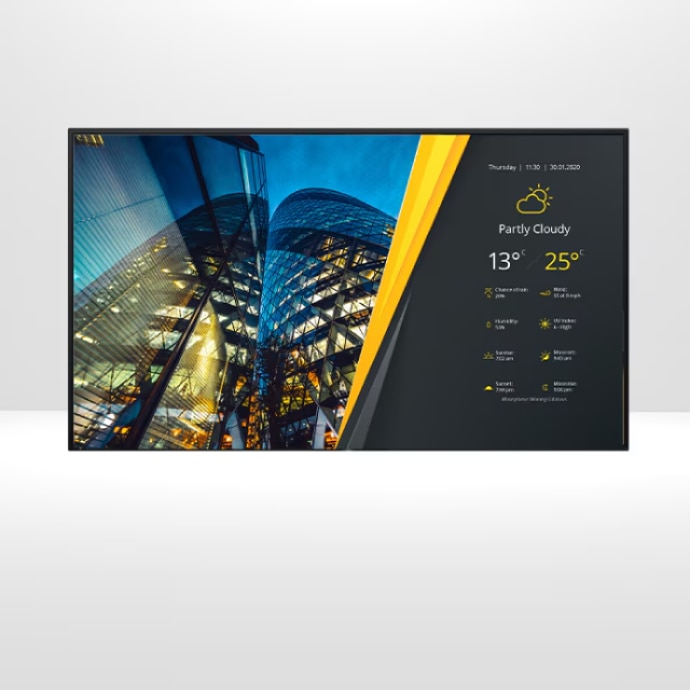
Device Management Platform
Centralized management and control of your BRAVIA Professional Displays.

Device Management Platform (DMP) is a cost-effective Sony solution to monitor and manage all of your BRAVIA Professional Displays seamlessly and remotely. Resolve issues, update apps and see the alerts of individual devices, all without needing to touch the physical device itself. With just one tool, you can set up, remotely manage, and troubleshoot any number of BRAVIA Professional Displays, in real time. This solution helps reduce downtime while maximizing your operational phase.
FROM REGISTRATION TO MANAGEMENT & CONTROL

BULK REGISTRATION
Register and tag BRAVIA Professional Displays in bulk for structured and clear display project management.

ZERO-TOUCH PROVISIONING
Pre-determine your preferred BRAVIA Professional Display settings and deploy them remotely. Scan the QR code to run the initial set up process and configure every eligible device automatically.

REAL-TIME MONITORING
Access real-time information such as network status, storage usage and applied settings at any time, from any location. Take screenshots remotely to ensure that your displays are showing the correct content.

CUSTOMIZABLE ALERTS
Customize your alert rules to flag issues such as unintentional power outages, HDMI disconnections and network errors. Schedule your alerts for specific days and times, so you can get an overview of your systems in one quick update.

REMOTE TROUBLESHOOTING
In the event of a display issue, you can try rebooting your devices remotely. Quickly access comprehensive operation and alert histories to understand exactly what caused the error.
Manage any number of your digital signage displays — wherever you are
SNAPSHOT OF FEATURE COMPARISON: DPT vs. DMP

Manage all your Sony BRAVIA Professional devices with ease
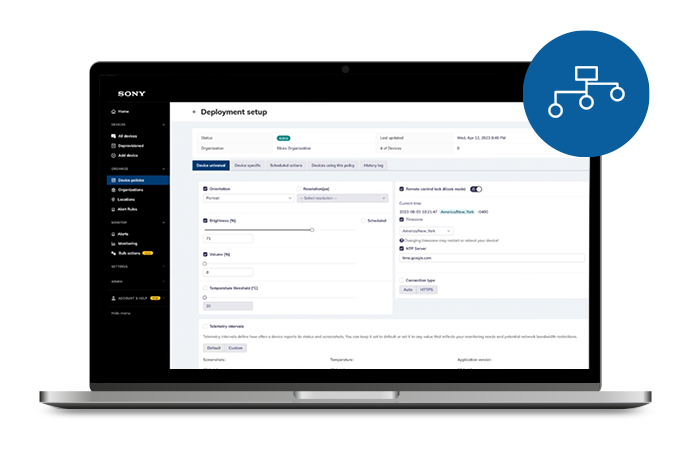
Clear features and rules simplify the management of any number of BRAVIA Professional Displays. With organization profiles, bulk actions and application version control, you can define the settings and behaviors of any number of displays at once.
Smarter remote management
Monitor devices in real time, with in-depth diagnostics, screenshots and up-time tracking. Save costs by checking the performance of your content remotely, before sending maintenance resources. Solve many issues with just a few clicks by accessing device logs, deploying patches and rebooting your display.
Work more efficiently
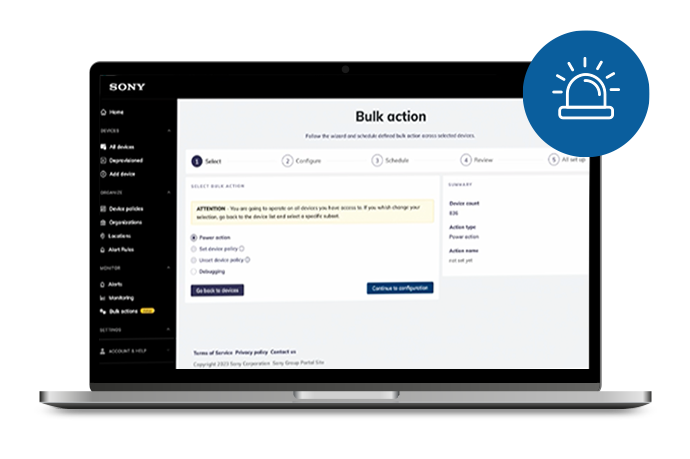
Save time with bulk actions that lets you set up and troubleshoot devices in groups. Automatic alerts notify you of any changes to your devices in groups. Automatic alerts notify you of any changes to your devices and their connections, so you don’t waste a moment in dealing with issues.
Comprehensive Operation and Support Included
- Use screenshots to check that the right content is being shown on the correct displays
- Periodic reboots for maintenance
- Remotely check the display status and alerts, knowing that automatic recovery functions have already been initiated
- Access change and alert history for visibility over your maintenance
- Change basic and pro settings remotely
Connect, control, and update your signage with ease
How to Use DMP:
Supported BRAVIA Professional Display Models
FY23 Model: BZ30L, BZ35L, BZ40L, BZ50L, BZ53L
FY21 Model: BZ30J, BZ35J, BZ40J
FY20 Model: BZ40H
WHY SONY DEVICE MANAGEMENT PLATFORM

Built for Sony
The only device management solution especially designed for our BRAVIA Professional Display BZ-series.

Complete overview
View the status of entire networks of devices and control them in bulk through a single web-based dashboard.

Central control
With our cloud management console, remotely switch apps, update software and firmware, create device policy settings that can be rolled out to every device.

Rich experiences
Create new experiences through our SDK, then track proof-of-performance, thanks to built-in analytics.